16+ Best Free YouTube Tools to Grow Your Channel

Most creators lose views not to bad videos but to bad packaging. A solid upload with a weak title, no tags and a thumbnail nobody downloaded to study will sit at 200 views while a worse video with sharp packaging crosses 20,000. The fix costs nothing. Below are 16+ free YouTube tools, grouped by the job each one does, so you can pick the right one instead of hoarding twenty tabs you never open.
Note: Every tool linked here is free to use on RankNexus. No card, no trial clock. Run one before your next upload and compare the before and after on CTR.
What are the best free YouTube tools for creators?
The best free YouTube tools fall into five jobs: research (keywords, niches, video ideas), packaging (titles, descriptions, tags, hashtags, thumbnails), scripting, auditing, and revenue estimation. You don't need all of them at once. You need the right one at the right stage, from picking a topic to checking why last month's views dropped.
Treat the list as a workflow, not a menu. Research first, package second, audit after the numbers land.
Research tools: find topics people actually search
Research decides your ceiling. If nobody searches for your topic, no title rescues it. Start here before you film a single second.
A YouTube keyword tool pulls real search phrases and shows which ones have room, so you target "beginner sourdough at home" instead of the impossibly broad "bread". Pair it with the niche finder when you're still deciding what the channel is about, and the video ideas generator when you have a niche but a blank content calendar.
Say you run a two-month-old cooking channel stuck at 50 subscribers. Feed "Indian breakfast" into the keyword tool, spot that "5 minute office tiffin" has steady searches and thin competition, then run that phrase through the video ideas tool to get eight angles. That's a month of uploads mapped in ten minutes.
YouTube Keyword Tool finds real search phrases and demand. YouTube Niche Finder helps you pick or confirm a channel focus. YouTube Video Ideas Generator turns one topic into many angles.
If you also publish blog content around your videos, the same logic applies to the web, and our free keyword research guide walks through it.
Packaging tools: titles, descriptions, tags and hashtags
Packaging is where most free tools earn their keep, because it's the part the algorithm and the viewer both judge in under a second. Four jobs matter here.
Titles come first. Write a draft, then run it through the YouTube title analyzer to check length, emotional pull and keyword placement. Short on ideas? The title generator spins variants you can test. Descriptions do quiet SEO work, so the description generator builds one with your keyword, timestamps and links already slotted in.
Tags and hashtags round it out. The tag generator suggests relevant tags, while the tag extractor pulls the tags off any public video so you can see what a competitor targeted. The hashtag generator gives you the three to five hashtags that sit above your title.
| Tool | Use it when |
|---|---|
| Title Analyzer | You have a draft title and want a score |
| Title Generator | You have none and need options |
| Description Generator | You want an SEO description in seconds |
| Tag Generator | You need fresh tags for a new upload |
| Tag Extractor | You want a competitor's tags |
| Hashtag Generator | You need hashtags above the title |
Tip: Tags are a minor ranking signal now. Spend the real effort on the title and first two lines of the description; that's what decides your click-through rate.
Scripting and the all-in-one content package
A tight script keeps retention up, and retention is the single metric that moves views more than any tag. The YouTube script generator gives you a hook, body and call to action structure you can edit in your own voice, which beats staring at a blank page for an hour.
When you'd rather not run six tools one by one, the YouTube content package bundles title, description, tags and more for a single topic. For a creator shipping two videos a week, that's the difference between 40 minutes of packaging and five.
Don't publish the output raw. Rewrite the hook so it sounds like you, swap one generic line for a specific detail from your actual video, and the retention curve rewards you.
Audit and analysis: find what's dragging you down
Auditing answers the question every stuck creator asks: why aren't my views growing? Run a YouTube channel audit monthly to flag thin descriptions, missing tags, weak titles and videos that never got a thumbnail refresh. The video analyzer does the same at the single-video level.
For the bigger SEO picture across titles, metadata and consistency, our walkthrough on a YouTube channel SEO audit shows what to check and in what order. Do it with real data from your own channel, not a checklist you copied.
5
jobs every free tool here does: research, package, script, audit, estimate.
A common failure mode: creators audit once, fix nothing, and audit again three months later expecting change. The audit only works if you act on the top two flags before the next upload.
Thumbnails, names and earnings
Three utility tools cover the odd jobs that still matter. The thumbnail downloader grabs any public video's thumbnail in full resolution, which is how you study what's winning clicks in your niche before you design your own.
Starting fresh? The channel name generator suggests available, brandable names so you're not stuck on "TechGuy4572". And before you count on ad money, the YouTube money calculator estimates earnings from views and niche, which sets realistic expectations. In India, where CPMs run lower than the US, a gaming channel at 1,00,000 monthly views might see very different ad revenue than a finance channel at the same count. The calculator shows that gap before you quit your job over it.
Watch out: Money calculator figures are estimates based on average CPM ranges. Your real RPM depends on audience geography, niche and watch time. Treat the number as a floor-to-ceiling range, not a payslip.
How to put these tools into one workflow
A repeatable order beats owning every tool. Here's the sequence that fits most channels:
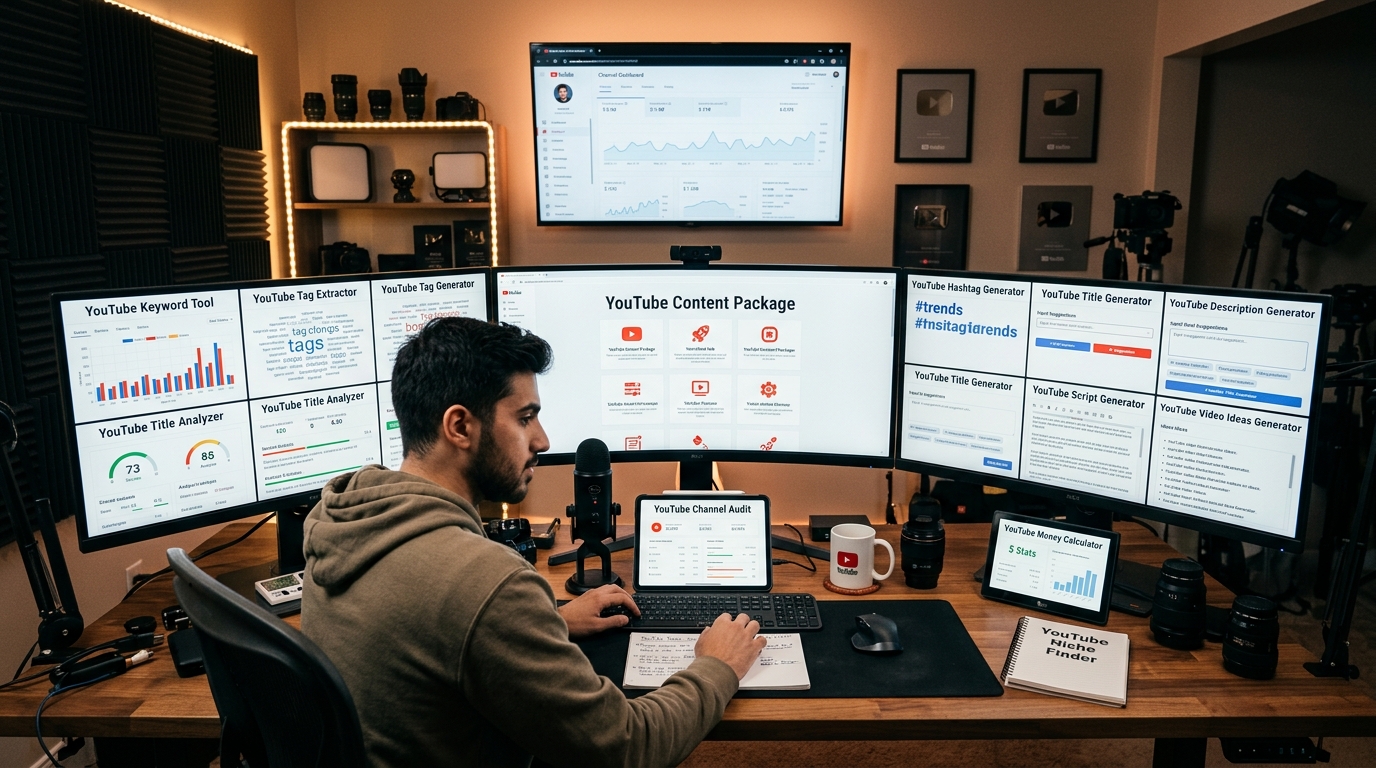
- Check the topic with the keyword tool and niche finder.
- Generate angles with the video ideas tool.
- Draft and score your title, then build the description, tags and hashtags, or run the content package to do all four at once.
- Download two competitor thumbnails to study before you design yours.
- After a month, run the channel audit and fix the top two flags.
- Check the money calculator quarterly to track where your niche is heading.
For non-YouTube work, several of these have web cousins worth a look, like the SEO title generator and the content ideas generator for your blog.
YouTube's own Creator Academy is the authoritative source for how ranking and monetisation policies actually work, so cross-check any tool's advice against it. Tools speed up the doing; the platform sets the rules.
Start with the audit so you know what's broken, then work backward through packaging and research on your next three uploads. Run a free channel audit on RankNexus and fix the top two issues before your next upload.
Keep up with what we publish next: add RankNexus to your preferred sources on Google.
Frequently asked questions
Do free YouTube tools actually help a small channel grow?
Yes, in the packaging and research jobs. Free keyword, title and audit tools fix the parts of a video that decide clicks and discovery, which small channels usually get wrong. They won't fix weak content or low upload consistency. Use them to stop losing views to avoidable mistakes, then focus your real effort on the video itself and retention.
Are YouTube tags still worth adding in 2026?
Tags are a minor signal now, far below title, thumbnail and watch time. YouTube uses them mainly to catch spelling variations and clarify ambiguous topics. Add a handful of relevant tags in under a minute with a tag generator, then move on. Don't spend serious time stuffing 500 characters of tags; it won't move your rankings.
Why are my videos not showing up in YouTube search even with good tags?
Search ranking depends mostly on click-through rate, watch time and relevance, not tags. If your title and thumbnail don't earn clicks, or viewers leave in the first 30 seconds, YouTube stops showing the video. Run a video analyzer to check your title and description match the search intent, then improve retention before blaming tags.
Is a free YouTube keyword tool as good as a paid one like TubeBuddy?
For topic research and finding search phrases, free tools cover what most creators need. Paid suites add bulk processing, saved history and some competitor tracking. If you upload a few times a week, a free keyword tool and niche finder are enough. Upgrade only when you hit a clear limit, like needing to analyse hundreds of videos at once.
Do I need a Google account to use these YouTube tools?
No. The tools listed here run in your browser without connecting to your channel or signing in. You paste a topic, keyword or video URL and get results. That also means they can't read your private analytics, so pair them with YouTube Studio's own data for your real watch time and traffic sources.
How often should I run a channel audit?
Once a month is enough for most creators, or after every batch of five to ten uploads. Auditing more often rarely surfaces new problems. The value comes from acting on the flags, not repeating the scan. Fix the top two issues, usually thin descriptions or weak titles, before you audit again.
Can I use the thumbnail downloader on any video?
You can download the thumbnail of any public YouTube video in full resolution. It's meant for research, studying what earns clicks in your niche, not for reusing someone else's image. Copying a thumbnail directly risks a copyright strike. Use what you download as reference for layout, colour and text, then design your own.
Why does the money calculator show a different number than I actually earn?
The calculator uses average CPM ranges, but your real RPM depends on audience country, niche and watch time. A viewer in India earns advertisers far less than one in the US, so the same view count pays differently. Treat the estimate as a range. Your YouTube Studio revenue tab shows the real figure once you're monetised.
Should I edit AI-generated titles and descriptions before publishing?
Always. Generated output gives you a structured starting point, not a finished one. Rewrite the hook in your voice, swap one generic phrase for a specific detail from your video, and check the keyword still reads naturally. Raw AI packaging looks generic and viewers sense it. The edit takes two minutes and lifts click-through.
Which tool should I use first if I'm starting a brand new channel?
Start with the niche finder and channel name generator to lock your focus and a brandable name. Then use the keyword tool and video ideas generator to plan your first ten uploads. Skip the audit and money calculator until you have videos live and a few weeks of data to look at.
Want this done for your site?
Run a free audit and see exactly what to fix for Google and AI search.